Business Dashboard Pro by TulipWork
Know your profit every month. Not a year later.
Your invoices come in on their own from Dext or QuickBooks. Add your monthly sales and payroll. Business Dashboard Pro shows your profit, your margins and your break-even point, month by month.
€59 per month (excl. VAT) · First month free · Cancel anytime

✓ No waiting for the accountant
Profit this month: estimated live
Dext and QuickBooks connected
Built by a business owner who teaches finance
Personal onboarding
Cancel anytime
The problem
Most business owners learn their profit a year too late.
The accountant’s figures arrive months after the year ends. Your bank balance tells you about cash, not about profit. In between, you run the business blind.
Cash is not profit
A full bank account can hide a month that lost money. A low one can hide a good month.
The accounts come too late
When the annual accounts arrive, the year is over and the mistakes are already made.
Spreadsheets go wrong
A homemade P&L takes hours to update, and one wrong formula is enough to mislead you.
How it works
Three steps. Then your P&L updates itself.
1
Connect your invoices
Dext sends each new invoice automatically (through Zapier). QuickBooks connects directly. Any other tool works with a CSV file.
2
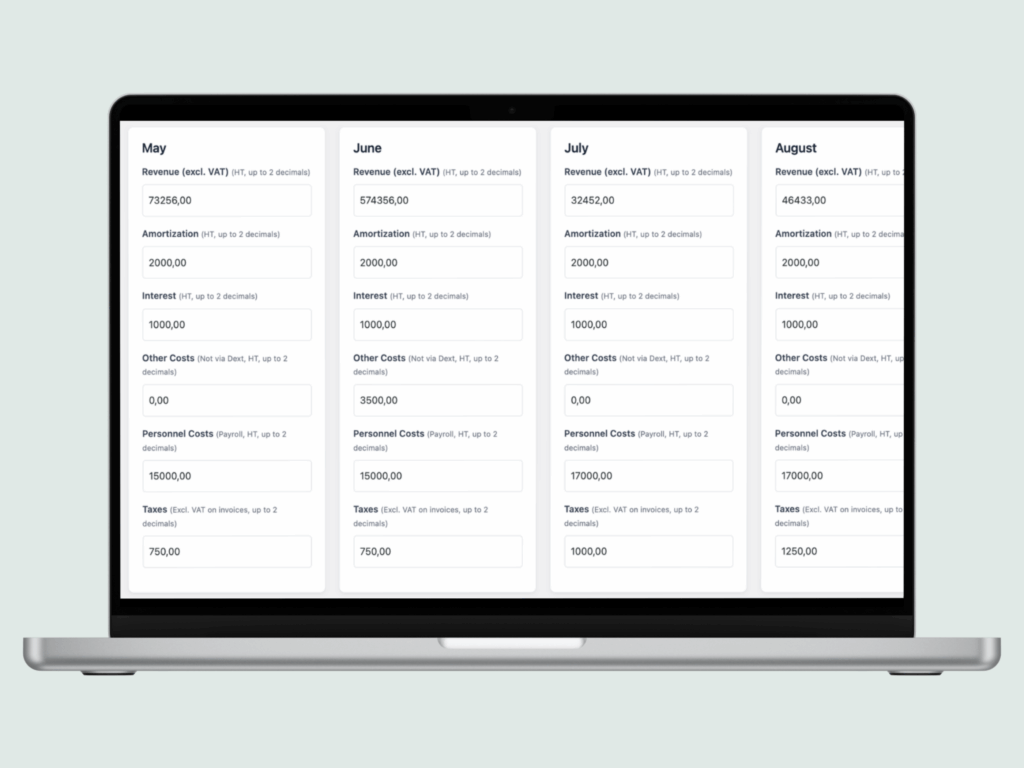
Add your monthly figures
Your sales, your payroll and a few costs that are not on invoices. A few minutes a month.
3
Read your profit
Your P&L month by month and year by year, your margins and your break-even point.

Your P&L
A real P&L, built like an accountant would.
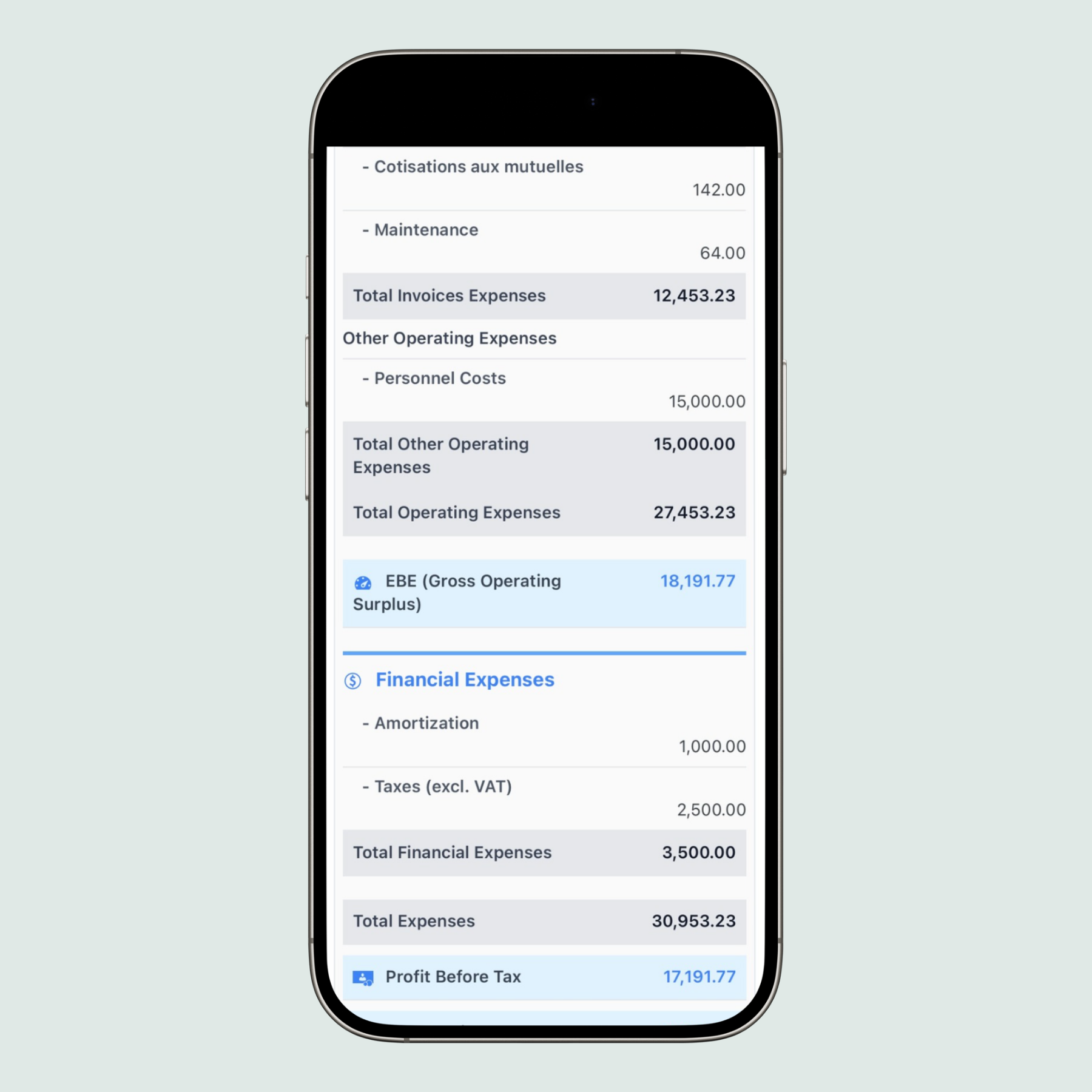
Gross margin, EBITDA (EBE in France), operating profit and net profit. Each line is shown as a share of your revenue. Compare it with the previous period.
- Month by month and year by year
- Each cost as a % of revenue
- Compared with the previous period
- French and international formats (EBE / EBITDA)
Ratios
The numbers that matter, without a finance degree.
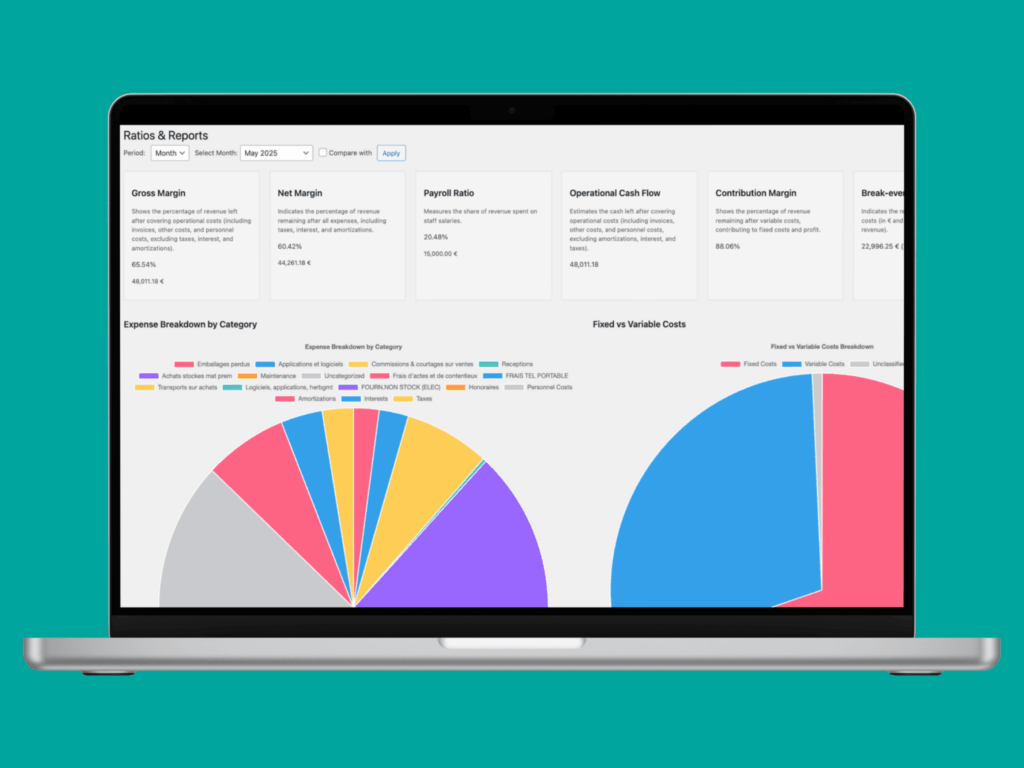
Each ratio comes with one line that explains what it means.
- Gross margin
- Occupancy rate (rent and utilities)
- Payroll ratio
- Contribution margin
- Break-even point
- Fixed vs variable costs

Features
Everything you need to steer your business.
Dext, QuickBooks or CSV
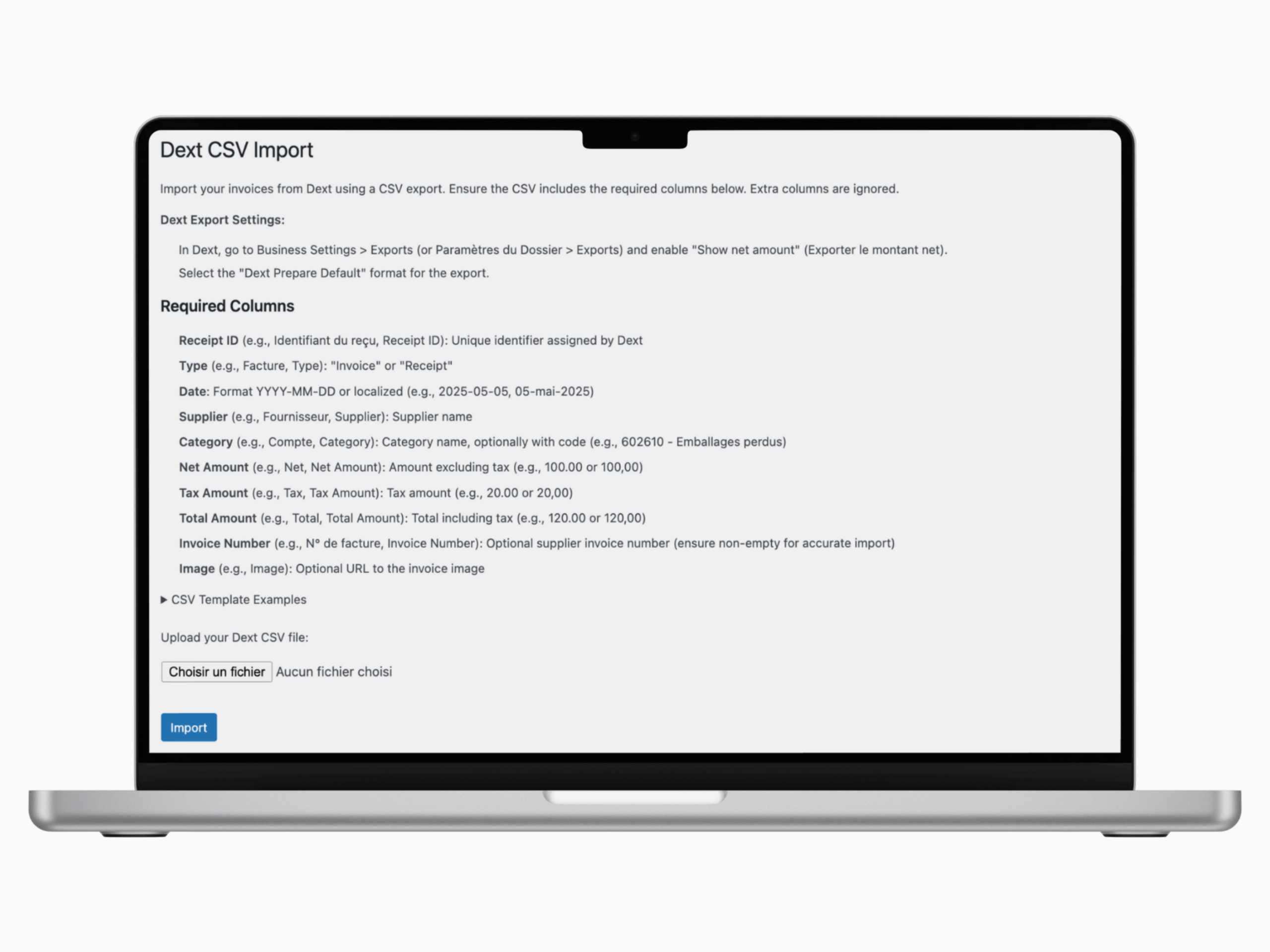
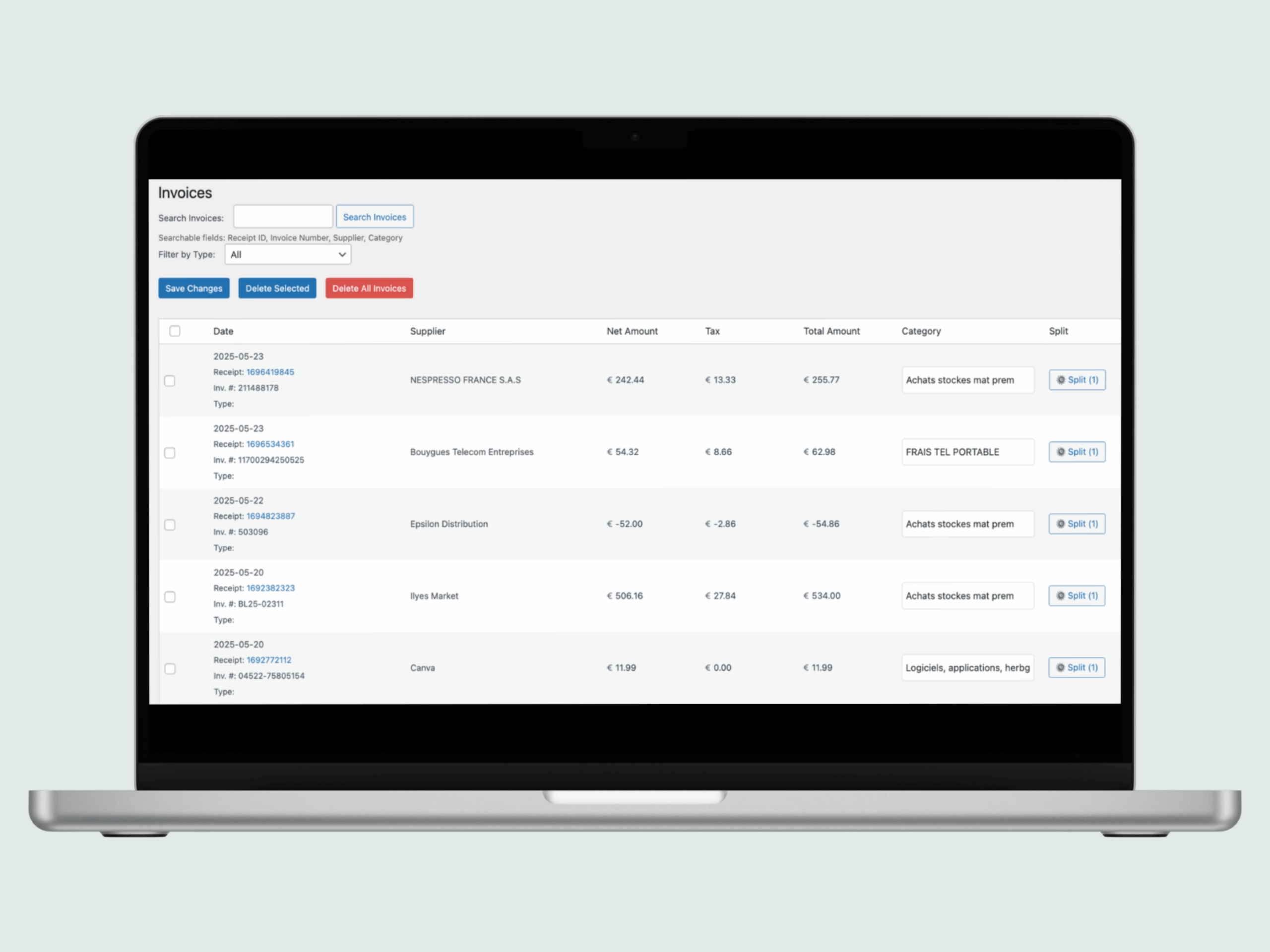
Invoices arrive on their own from Dext or QuickBooks. Any other tool works with a CSV file.
Invoice management
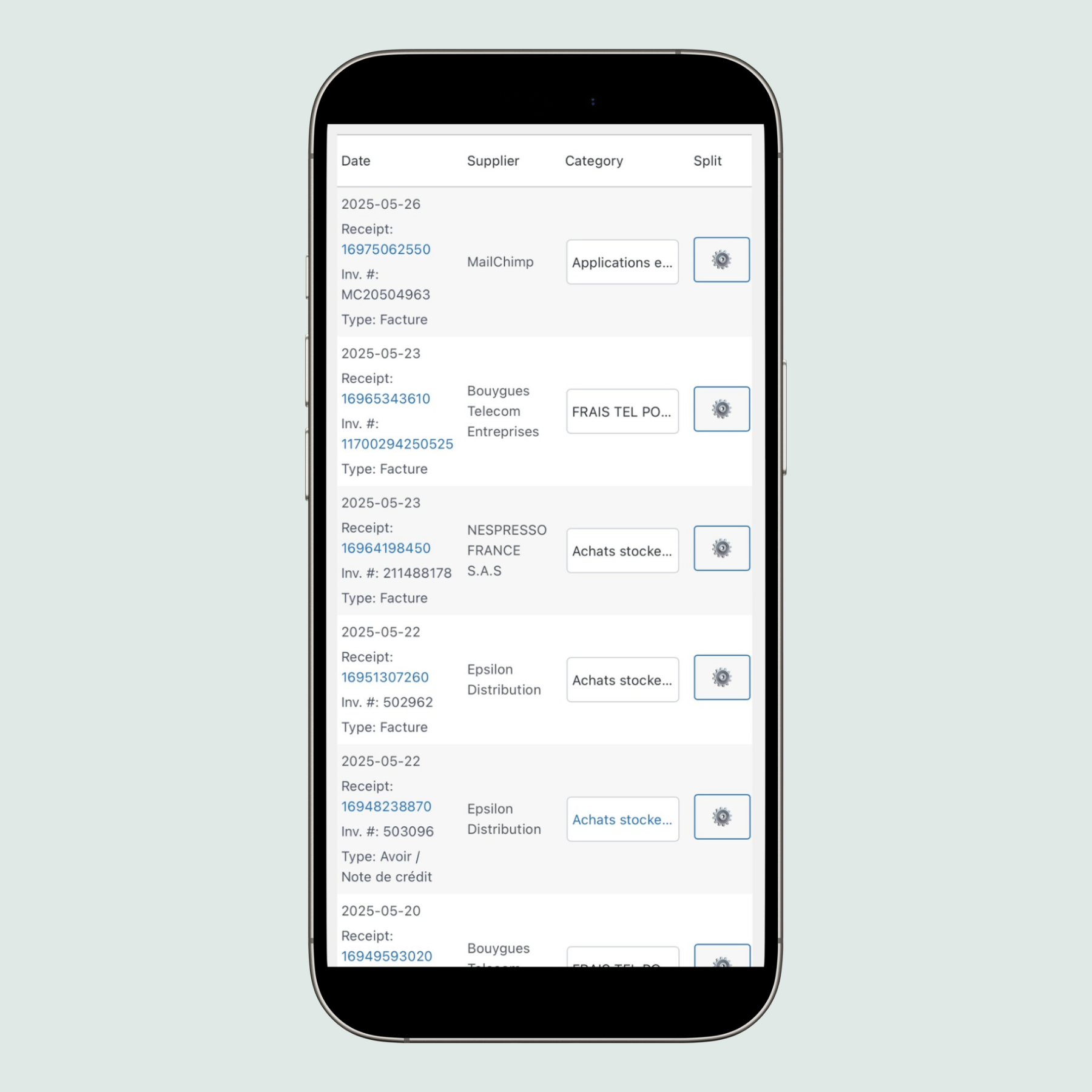
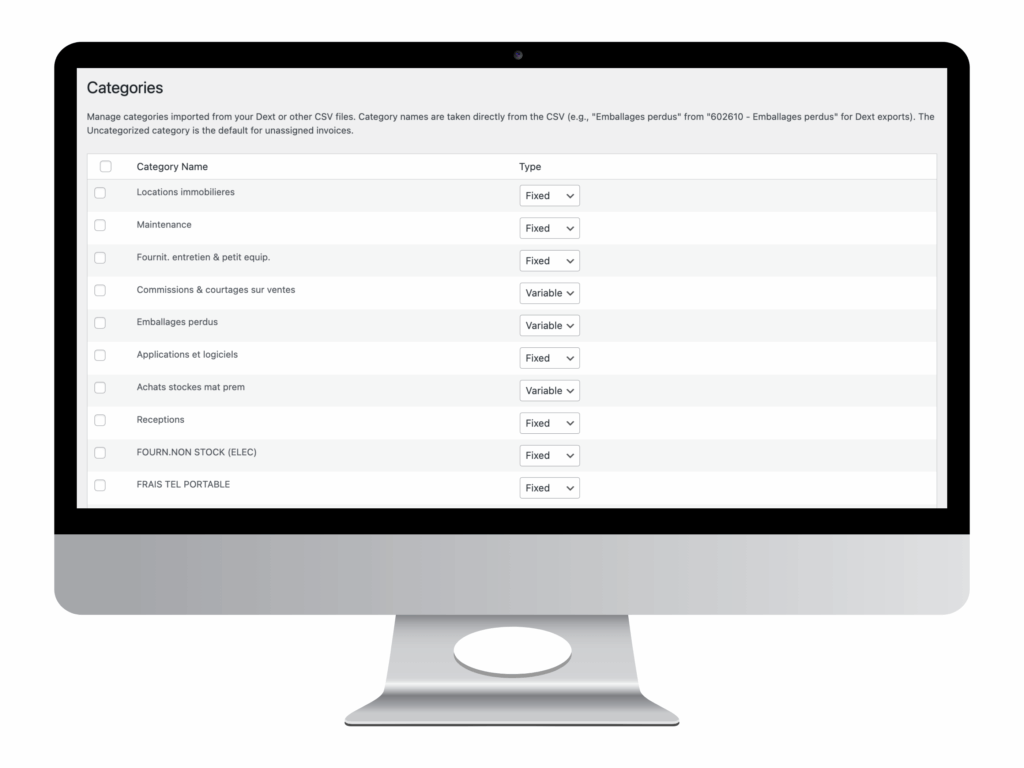
Search, check and categorise every invoice. Tag each category as a fixed or variable cost.
Monthly figures
Enter sales, payroll, depreciation, interest and taxes once a month.
Spread costs over time
Spread a yearly bill over 12 months, or depreciate an investment, to keep each month accurate.
Ratios and charts
Margins, payroll ratio, break-even point, expense breakdown by category.
Team access
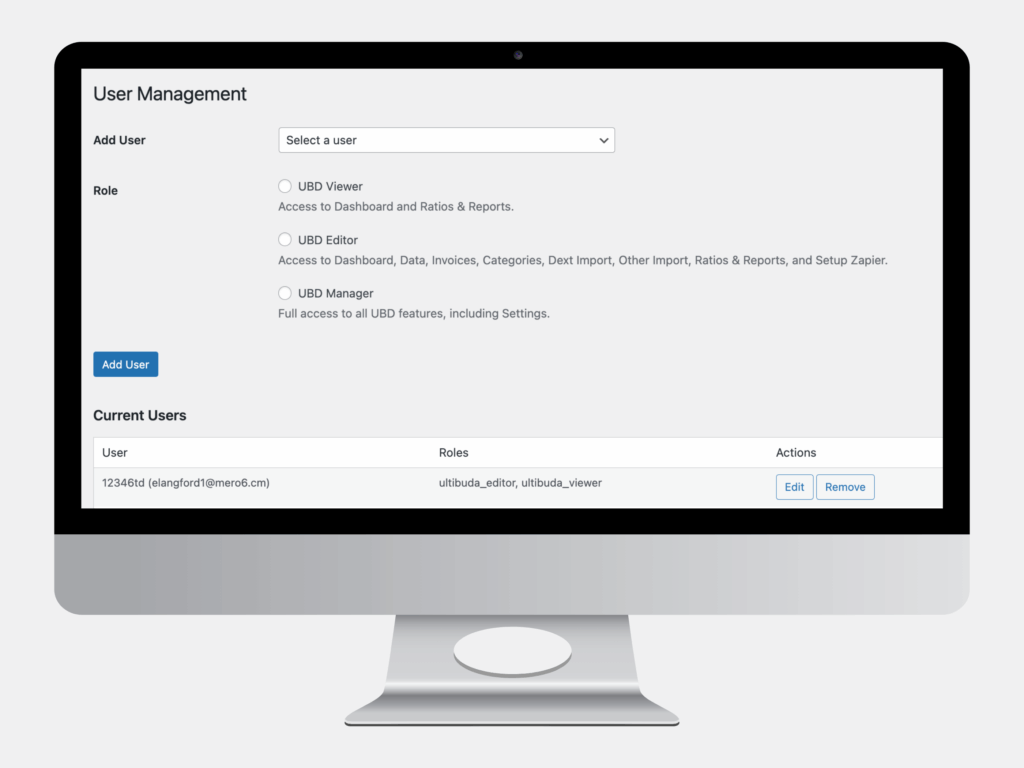
Viewer, Editor or Manager roles for your partners, your team or your accountant.
Integrations
Your invoices, wherever they are.
Available today
- Dext, automatic through Zapier
- QuickBooks, direct connection
- CSV import from any tool, for example once a month
Under study
We are looking at these connections. They are not available yet.
- Pennylane
- Xero
- Sage
- Invoices forwarded by email
- Bank transactions
Using another tool? Tell us which one you would like to connect.
Proof
Made by someone who runs a business and teaches finance.
Ziyad runs Libshop, a group of 4 restaurants in Paris, and teaches International Financial Management to Master’s students at EBS Paris. Libshop uses Business Dashboard Pro to follow its estimated profit as the month goes.
Live
estimated profit, updated as invoices come in
5
key ratios, each explained in one line
EBS Paris
where Ziyad teaches financial management (Master’s)

“My accountant gave me my profit once a year. I wanted to know it every month, while I can still act on it.”
Who it’s for
Made for any business that pays invoices.
- Restaurants and cafés
- Shops and retailers
- Service businesses
- Freelancers and agencies
- Franchisees
- Small and growing companies
A closer look
See the screens you will use every month.

Invoices
Every invoice with its category, imported automatically or by CSV.

Spread costs
Spread a bill over several months to keep each month accurate.

Imports
Dext with Zapier, Dext CSV, any other CSV, or QuickBooks.

Annual summary
The whole year at a glance, each line as a share of revenue.

Monthly figures
Sales, payroll, depreciation, interest and taxes, once a month.

Print and export
Print a clean monthly report, or export it as CSV.
Click any screenshot to enlarge it. Want a live demo? Contact us →
Pricing
One simple price. Everything included.
First month free
Business Dashboard Pro
€59 / month
excl. VAT · no commitment
- Unlimited invoices
- Dext (through Zapier) and QuickBooks connection
- CSV import from any tool
- Monthly and yearly P&L
- Ratios and break-even point
- Team roles
- Personal onboarding
Nothing charged today · Cancel anytime
FAQ
Questions? Answers.
Does it replace my accountant?
No. Your accountant does your official accounts and tax returns. Business Dashboard Pro gives you a management view every month, so you are not waiting a year to know where you stand.
Do I need Dext or QuickBooks?
No. You can import invoices from any tool with a CSV file, for example once a month.
How does the Dext connection work?
Through Zapier: each new invoice in Dext is sent to your dashboard automatically. QuickBooks connects directly.
What do I enter by hand?
Your monthly sales, your payroll and a few costs that are not on invoices, like loan interest, depreciation and taxes. A few minutes a month.
Does it work outside France?
Yes. The P&L follows the French structure (soldes intermédiaires de gestion) and shows the international equivalents, such as EBITDA.
Can my partners or my accountant see it?
Yes. Give them a Viewer, Editor or Manager role.
What happens after the free month?
Your plan continues at €59 per month (excl. VAT). You can cancel at any time from your account.
Know this month’s profit before the month is over.
Connect your invoices today. With Dext or QuickBooks, your first P&L is ready in minutes.
€59 per month (excl. VAT) · First month free · Cancel anytime