

This articles simplifies inventory management with easy steps and tips to avoid costly mistakes. Learn how a retail inventory management like OrderStock makes it beginner-friendly and efficient.
In the fast-paced world of retail, effective inventory management can make or break your business. Whether you’re running a boutique shop, a chain of stores, or an online retail operation, keeping track of stock levels, avoiding stockouts, and optimizing orders is essential for maintaining customer satisfaction and profitability. Poor inventory practices can lead to lost sales, excess holding costs, and operational chaos. But with the right strategies and tools, you can streamline your processes and focus on growth.
This guide explores retail inventory management best practices, common challenges faced by retailers, and actionable tips to improve your stock handling. We’ll also discuss how solutions like OrderStock, a user-friendly SaaS platform available via subscription on tulipwork, can help retailers manage inventory efficiently across multiple locations.
Understanding Retail Inventory Management
Retail inventory management involves tracking, organizing, and controlling the flow of goods from suppliers to your shelves and ultimately to customers. It encompasses everything from forecasting demand to replenishing stock and analyzing sales data. For retailers, this process is particularly challenging due to seasonal fluctuations, diverse product lines, and the need for quick turnaround times.
Why does it matter? Effective inventory management helps reduce costs by minimizing overstock and waste, ensures products are available when customers want them, and provides insights into sales trends. According to industry reports, retailers lose billions annually due to inventory inefficiencies like stockouts and excess inventory. By mastering these basics, small to medium-sized retailers can compete with larger players and scale their operations.
Key components include:
- Stock Tracking: Monitoring real-time inventory levels to prevent discrepancies.
- Order Management: Placing timely orders with suppliers to maintain optimal stock.
- Demand Forecasting: Predicting sales based on historical data and trends.
- Multi-Location Coordination: Managing stock across physical stores, warehouses, or online channels.
Common Challenges in Retail Inventory Management
Retailers often face unique hurdles that can disrupt operations. Recognizing these issues is the first step toward overcoming them:
- Stockouts and Overstocking: Running out of popular items leads to lost sales, while overstocking ties up capital in unsold goods. Seasonal trends, like holiday rushes, exacerbate this.
- Multi-Store Complexity: If you operate multiple locations, synchronizing inventory across stores can be a nightmare, leading to inconsistencies and inefficient transfers.
- Supplier Coordination: Delays in orders or communication errors with suppliers can cause stock shortages, especially with perishable or high-demand items.
- Data Overload: Manually tracking sales, returns, and stock levels across hundreds of products is time-consuming and error-prone.
- Cost Control: Hidden costs from waste, theft, or inaccurate pricing eat into profits without proper oversight.
These challenges are amplified for small retailers without advanced tools, but implementing smart strategies can turn them into opportunities for efficiency.
Essential Tips for Successful Retail Inventory Management
Here are practical, step-by-step tips to enhance your retail stock management. These are tailored for small to medium-sized businesses looking to optimize without overwhelming complexity.
1. Implement Real-Time Stock Tracking
Start by adopting a system that allows effortless stock updates. A mobile-ready interface is crucial for retail environments where staff might need to adjust levels on the floor or during peak hours.
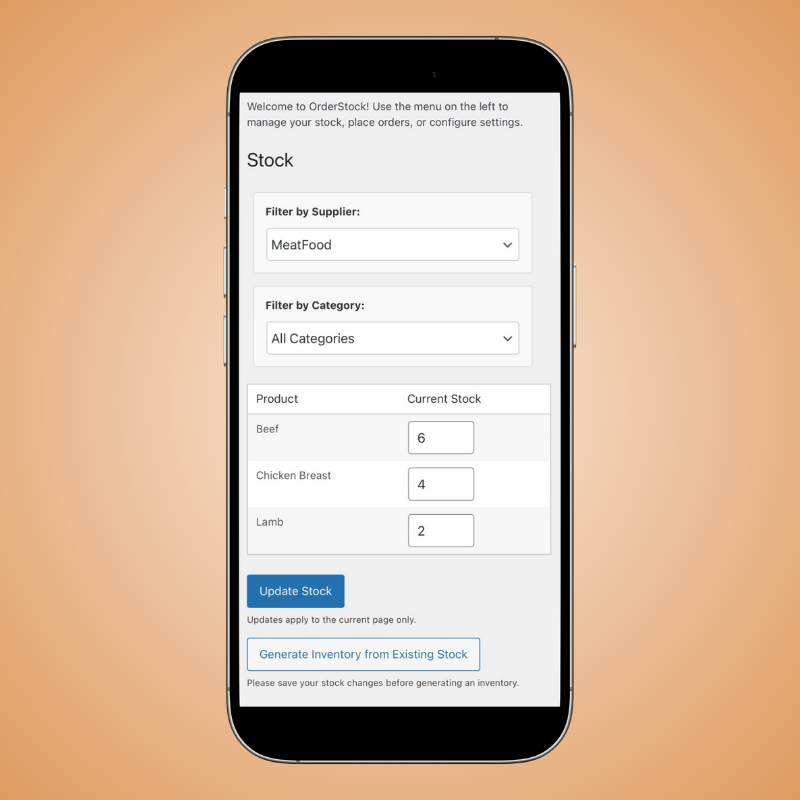
- Tip: Categorize products by type, location, or sales velocity to make tracking intuitive. Use tools that support decimal precision for items sold by weight or volume, ensuring accuracy for diverse retail inventories like clothing sizes or bulk goods.
- How OrderStock Helps: OrderStock offers a sleek, mobile-responsive design for on-the-fly stock adjustments. This keeps your inventory accurate without disrupting daily operations, helping you avoid the pitfalls of manual spreadsheets.
2. Use Smart Forecasting for Order Suggestions
Forecasting demand prevents stockouts and overstock. Analyze past sales data to predict future needs, factoring in trends and seasonal variations.

- Tip: Choose between forecast-based (daily sales multiplied by replenishment periods) or threshold-based (ordering when stock hits a critical low to reach a target level) approaches. Incorporate trend scores to adjust for changing demand, and set maximum limits to avoid overordering.
- How OrderStock Helps: With its Smart Order Suggestions, OrderStock crunches the numbers in Forecast Mode or Threshold Mode, providing tailored quantities with a Trend Score adjustment. This ensures your orders are data-driven and efficient, reducing waste in retail settings.
3. Streamline Supplier Orders and Communication
Efficient supplier management is key to maintaining stock flow. Automate where possible to save time and reduce errors.

- Tip: Link products to suppliers for quick filtering and generate professional order forms. Use digital channels like email or WhatsApp for instant communication, especially for urgent restocks.
- How OrderStock Helps: OrderStock enables one-click PDF order generation and direct emailing to suppliers. Plus, its WhatsApp Ordering feature lets you send orders with a single click, simplifying supplier interactions for busy retailers.
4. Leverage Multi-Store Management for Growth
If your retail business spans multiple locations, centralized control is essential to avoid siloed inventories.
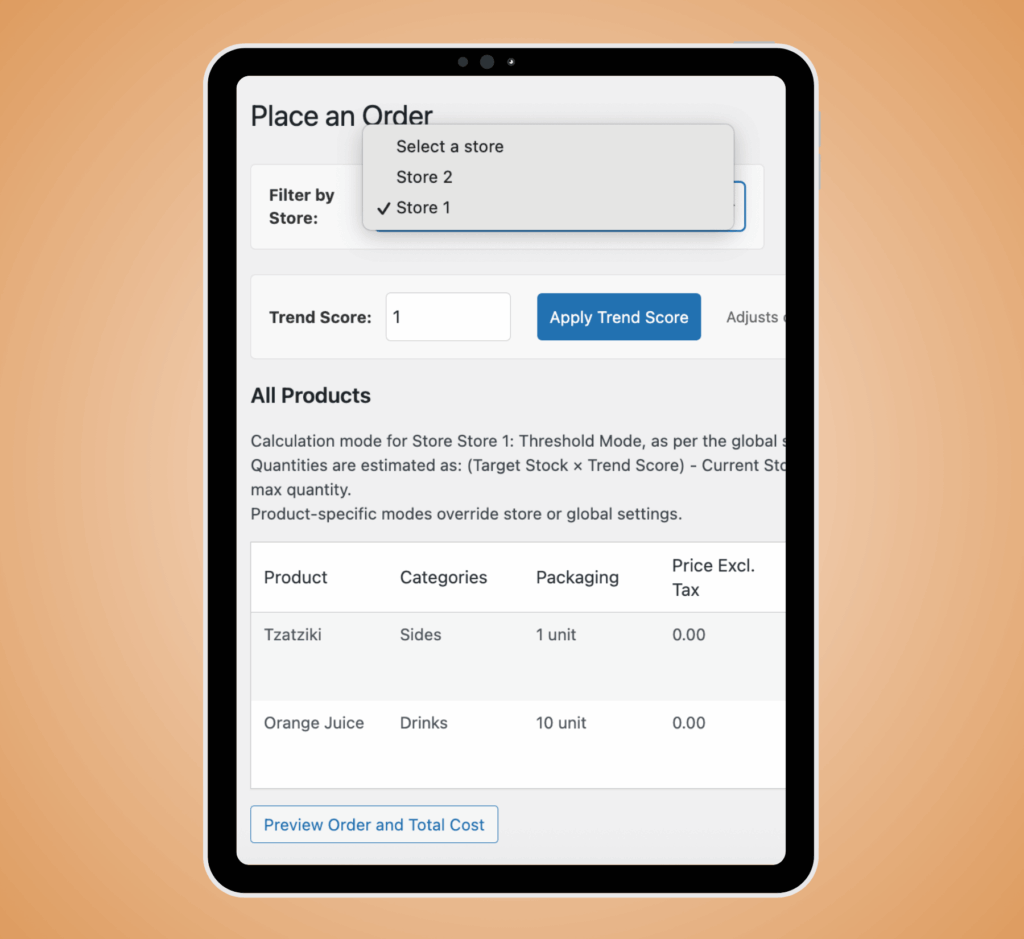
- Tip: Assign products to specific stores and track stock per location. Consolidate orders to a central warehouse for efficient distribution, and use bulk editing to update multiple items at once (e.g., assigning tax rates or suppliers).
- How OrderStock Helps: OrderStock Pro’s Multi-Store Mastery allows you to manage multiple locations from one dashboard with centralized stock tracking. Features like Bulk Editing Power and Order Consolidation make it easy to handle complex retail networks, while Multiple Suppliers per product adds sourcing flexibility.
5. Incorporate Analytics and Reporting
Data insights drive better decisions. Regular reports on stock levels, costs, and trends help identify issues early.
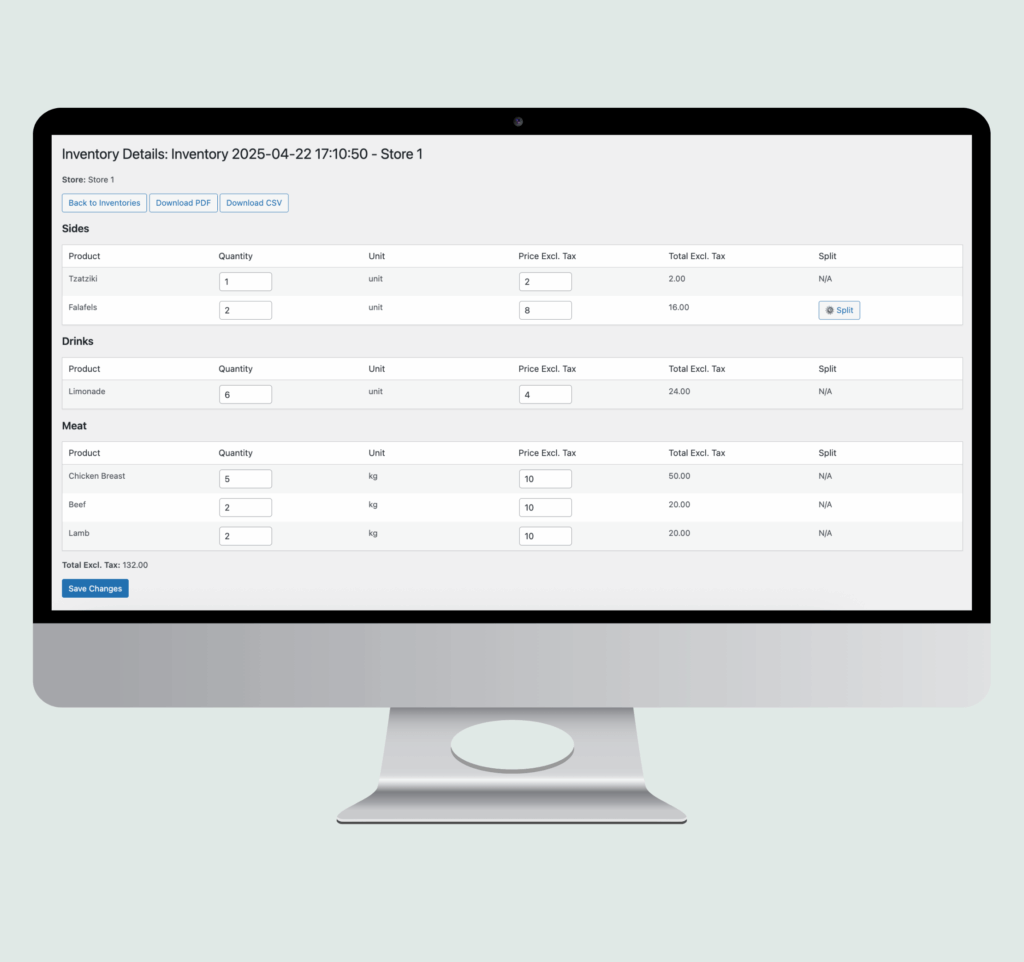
- Tip: Track order history, received quantities, and actual costs. Generate snapshots for audits and use reports to optimize by period, supplier, or category.
- How OrderStock Helps: OrderStock Pro unlocks Insightful Reports with advanced analytics and real-time cost tracking. Inventory Snapshots capture stock at any moment for PDF/CSV exports, perfect for retail audits and performance reviews.
6. Empower Your Team with Secure Permissions
In a retail team setting, delegation is vital, but so is security.
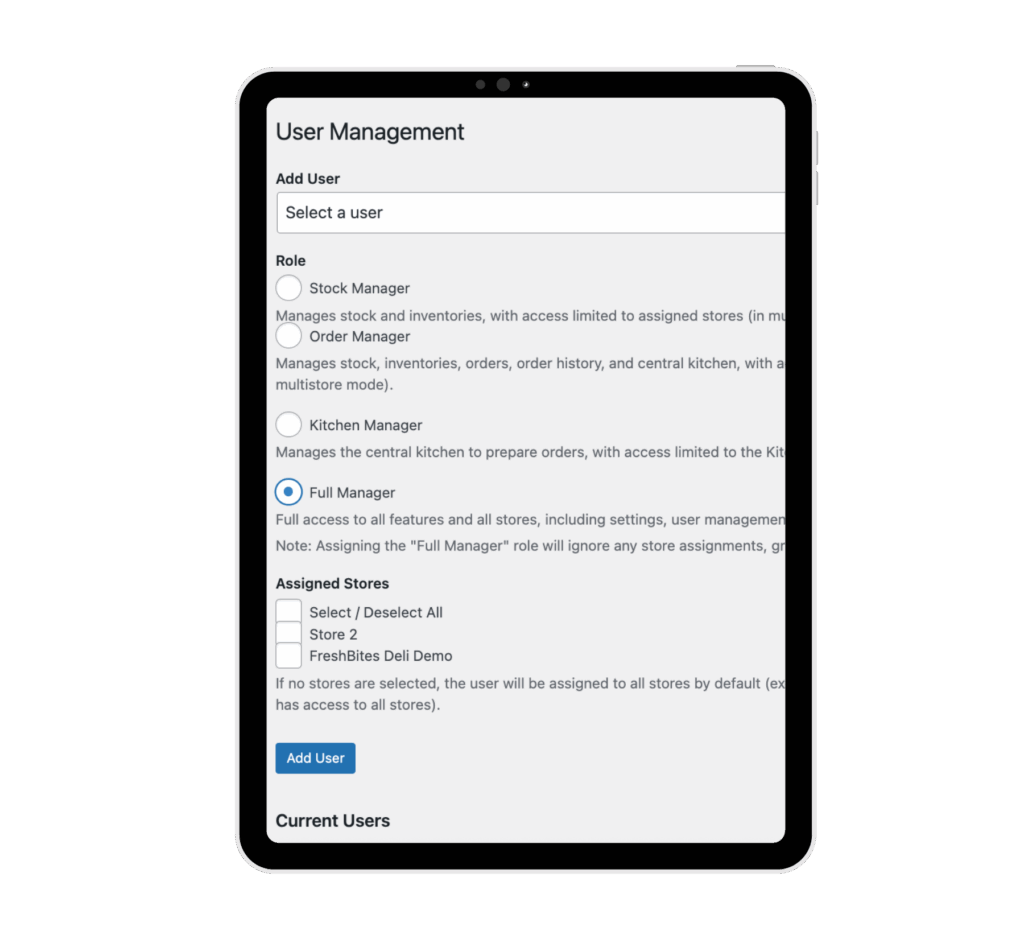
- Tip: Assign custom roles to staff, such as stock editors or order managers, to distribute tasks without risking data integrity.
- How OrderStock Helps: OrderStock Pro’s Team Permissions feature lets you add users with tailored roles, ensuring secure delegation in multi-employee retail environments.
7. Handle Bulk Updates and Data Transfers Efficiently
Retail inventories change frequently—new seasons, promotions, or supplier shifts require quick adaptations.

- Tip: Use import/export tools for bulk data transfers and edit multiple products simultaneously to save time.
- How OrderStock Helps: OrderStock Pro’s Import/Export Made Easy supports seamless CSV transfers for updates, while Bulk Editing Power handles assignments for suppliers, tax rates, or stores in one go.
The ROI of Effective Retail Inventory Management
Implementing these tips can yield significant returns. Retailers using optimized systems report up to 20-30% reductions in inventory costs through better forecasting and waste minimization. Additionally, streamlined processes free up time for customer service and sales growth.
For retailers ready to scale, investing in a comprehensive tool pays off quickly. Solutions like OrderStock provide the simplicity of free features for starters and the power of Pro upgrades for advanced needs, all via a subscription model on tulipwork.
Conclusion: Take Control of Your Retail Inventory Today
Mastering retail inventory management doesn’t have to be overwhelming. By focusing on real-time tracking, smart forecasting, and multi-store efficiency, you can overcome common challenges and position your business for success. Tools like OrderStock make it easier by offering mobile updates, automated suggestions, and Pro features for growth.
Ready to simplify your retail stock? Explore OrderStock on tulipwork and start your subscription today. For more insights, check out our guides on multi-store inventory management and reducing inventory waste.
