
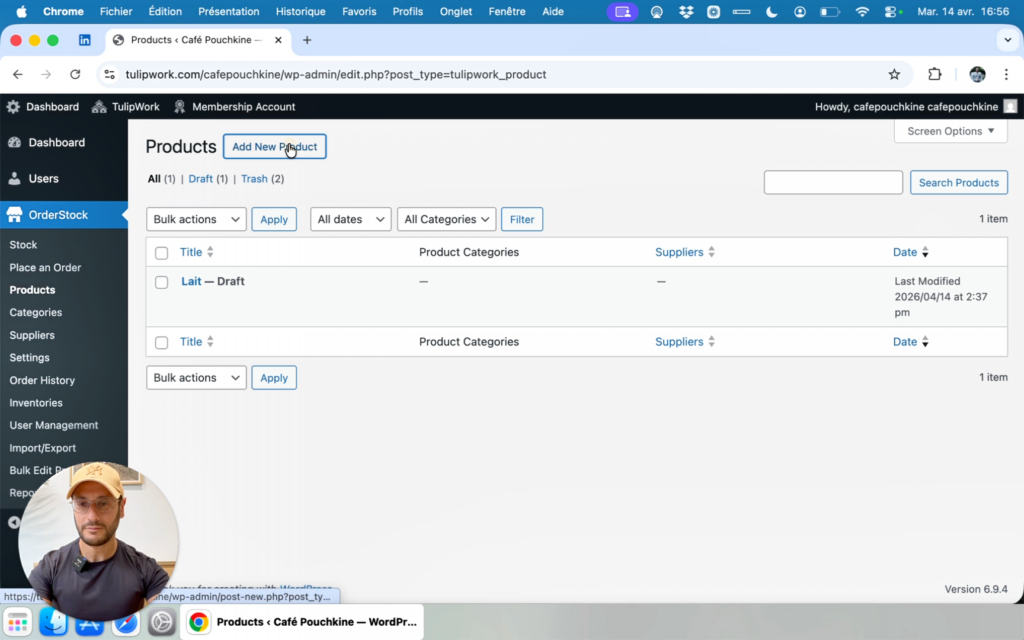
In this tutorial, I will guide you step by step through the creation of your first product on OrderStock Pro.
Product creation form
To create a product, go to OrderStock > Products, then click on “Add a product”. You will then access a form where you need to fill in several important fields. These fields will determine the quantity that OrderStock automatically calculates when you place orders with your suppliers.
The first field is the replenishment period, which represents the number of days you want to cover when ordering this product or raw material. In the example, I entered 30 days for wheat flour. We will see later that it is possible to choose another estimation method: safety stock. We will come back to this.
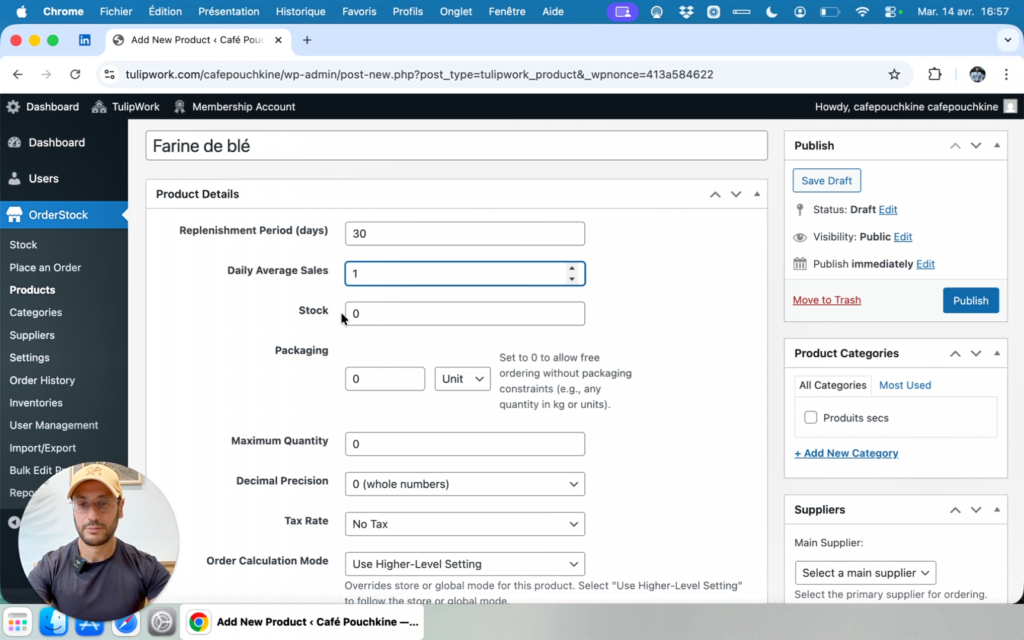
Next, you must enter the estimated daily sales quantity of your product (or the estimated daily consumption of your raw material). For example: 1 kg of wheat flour used every day.
You can also enter the current stock in the product file. Then, specify the packaging unit (kg, unit, liters, etc.) and the quantity per packaging (e.g., 1 kg or 5 kg per package).
You can set a maximum quantity that should not be exceeded, regardless of the theoretical need calculated by OrderStock. You can also define the decimal precision and the tax rate.
Finally, you can assign a category and a supplier. If you do not specify a supplier, you will still be able to place an order, but this order will not be assigned to any supplier. This allows you, for example, to create a shopping list.
Calculation method based on replenishment period
At this stage, the default calculation method used to determine the quantity to order is as follows:
Ordered quantity = (Replenishment period × Daily consumption quantity) – Current stock
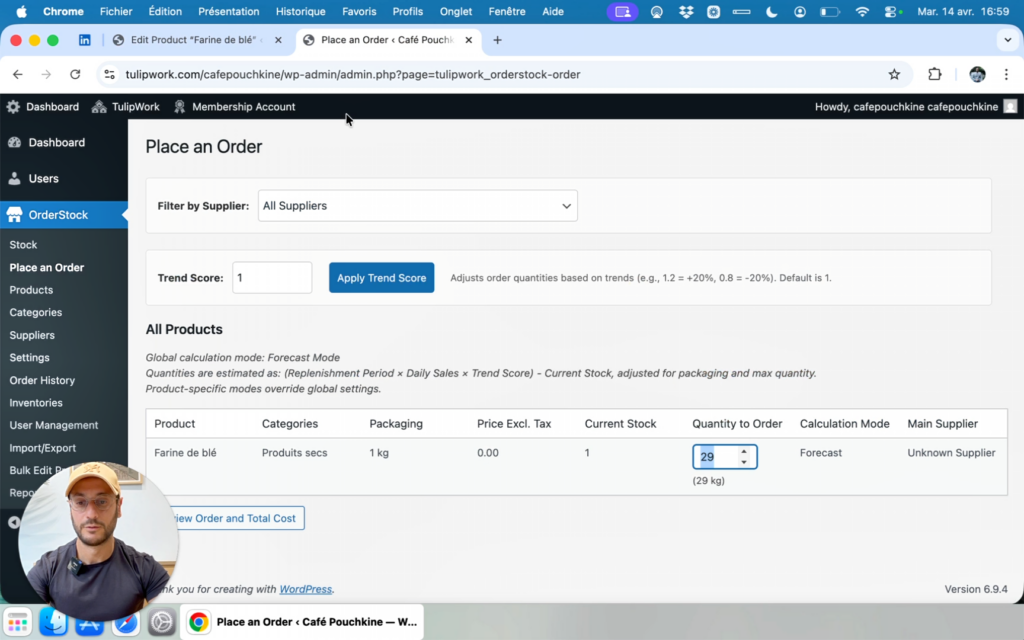
For example, if you consume 1 kg of wheat flour every day, you want to cover 30 days with your order, and you currently have 1 kg of wheat flour in stock (stock that you or your staff have previously entered through regular inventory), OrderStock will automatically calculate the required quantity of wheat flour as:
(30 days × 1 kg) – 1 kg = 29 kg
Calculation method based on critical threshold and target stock
In the product page, you have two options for the order calculation method:
- The forecast mode (the one we just saw above, based on a replenishment period to cover)
- The critical threshold mode (based on a critical threshold that triggers the order)
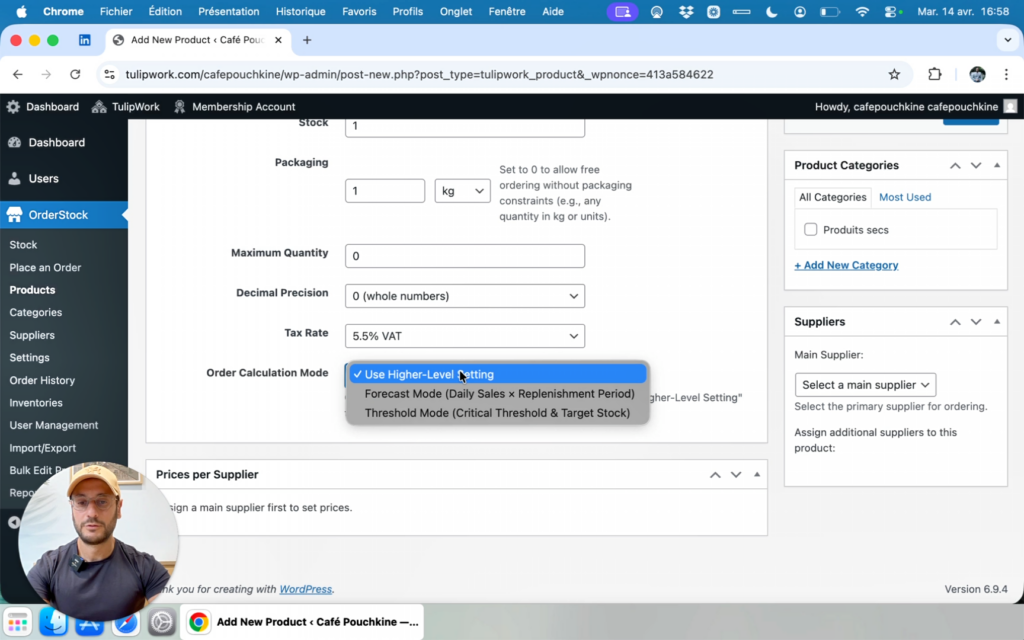
The default mode is the one defined in OrderStock’s general settings. However, you can choose a different mode for each individual product.
So, if you decide that wheat flour should only be ordered when the current stock falls below a certain threshold, you can select the “Critical threshold” mode. Once you have entered a critical threshold and a target stock, OrderStock will estimate the quantity to order from the supplier using the following formula:
Ordered quantity = Target stock – Current stock
This estimation will only be triggered if the current stock entered by your team is below the critical threshold. This feature is particularly useful for non-perishable or low-perishable goods.
